Signo is live
Signo gives each of your DeFi positions an agent that watches it around the clock, from your own wallet. We launched it at OKX Dev Day in Singapore. Here is what it does and how to start.
We took Signo live at OKX Dev Day in Singapore. About 30 teams reached the finals. Signo won first place in the Partnership track (AI x RWA), together with Agama, and second place in the AI track.
Why we built it
Most DeFi positions need attention only now and then, and that moment rarely comes at a good time. A health factor slips at 3am. A liquidity position drifts out of range. A PT matures while you are offline.
Until now, there were two choices: watch everything yourself, or give a bot your keys. Signo is a third option. Agents watch your positions for you, and your funds stay under your control.
How it works
Connect your wallet and choose what to watch. That can be a loan's health factor, a token price, a liquidity range, a maturity date, or a condition you describe in plain words. Signo reads your positions on Aave, Morpho, Pendle, Uniswap, Aerodrome and other protocols, and checks them on a schedule. When something needs your attention, you get a message on Telegram.
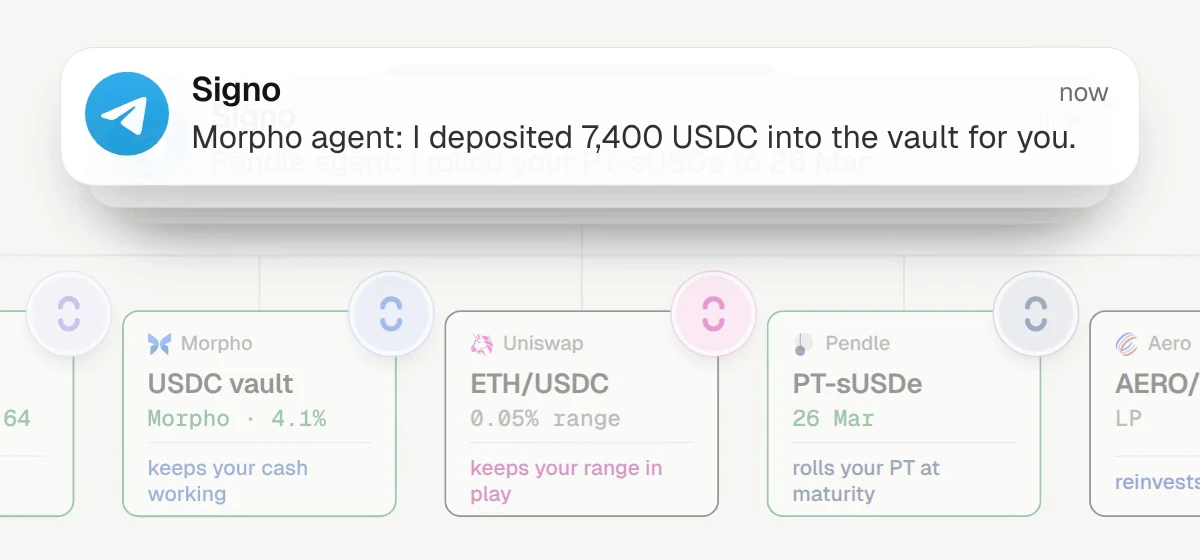
Each agent works at one of three levels:
- Notify sends you an alert when the condition is met.
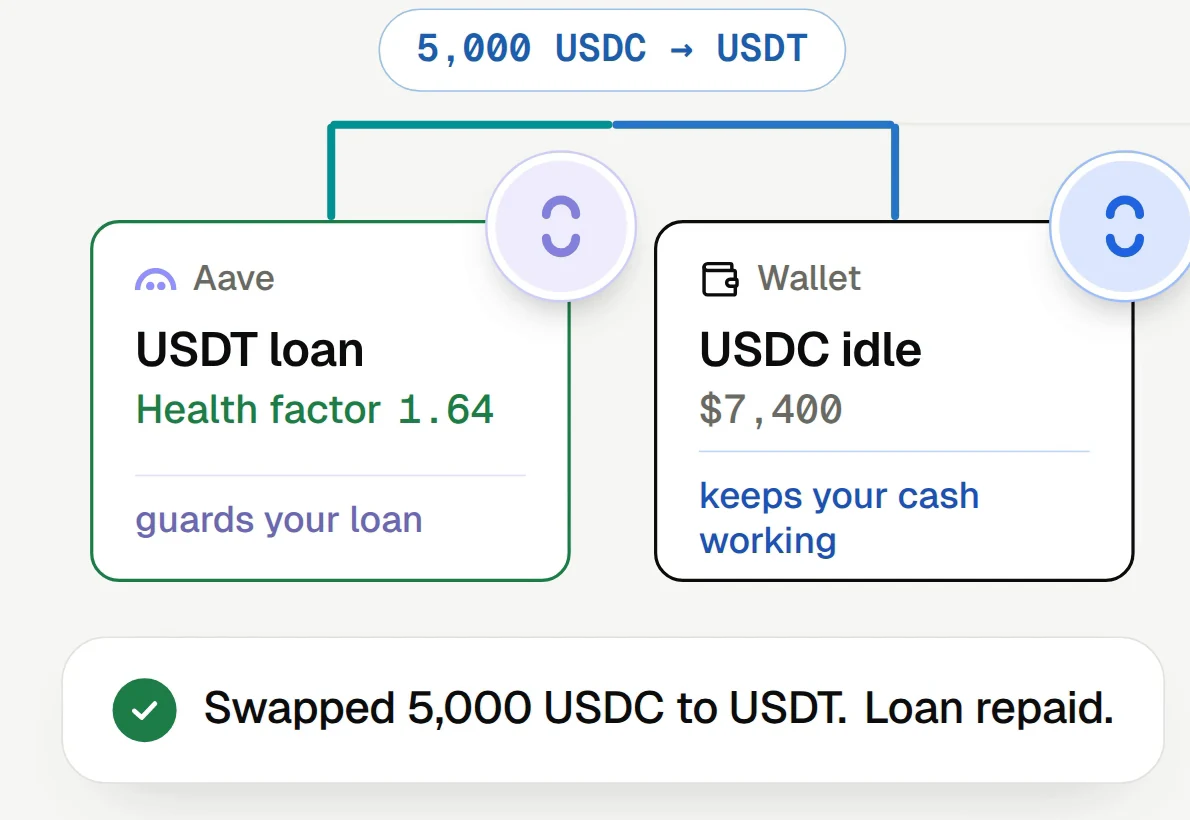
- Prepare sends the alert with a ready plan, for example a repayment or a rollover. You review the plan and sign it in your own wallet.
- Execute, in early access, acts on its own, but only inside a permission you sign onchain.
Notify and Prepare agents never move your funds. Our earlier post explains how Notify and Prepare agents work.
How Execute stays inside your limits
Execute agents act from your existing wallet. There is nothing to deposit and no separate agent wallet.
Before an agent can act, you sign a permission. It sets what goes in, what comes out, which venue the agent can use, how much it can spend, and until when. Signo Shield, built with X Layer, enforces the permission onchain, and a transaction outside those limits reverts. You can revoke the permission at any time. See what an Execute permission allows.
Start for free
Our aim is simple: every wallet gets agents that never sleep and never hold your keys.
Signo is free to start. The Free plan covers one wallet and three active agents, with no card needed. Open the app, connect your wallet, link Telegram, and add your first agent.
Sources
- The launch thread: @signo_fi on X
- How Signo agents work: Signo docs
- Execute permissions: Signo docs
Not financial advice. Signo shows analysis; you decide.